AI Integration
Table of Contents
Actifsource implements the Model Context Protocol (MCP), so its features are accessible to LLMs.
MCP server
The Actifsource Eclipse backend hosts an MCP server. It exposes the Actifsource model to an LLM as tools, resources and prompts. The MCP client (terminal, Claude Code view, Cline, Copilot, …) sits between the LLM and the server: it forwards the LLM’s requests to the server and returns the results. The transport is streamable HTTP with JSON-RPC.

Lifecycle
An MCP connection follows the old standard protocol lifecycle: the client sends an initialize request, the server answers with its capabilities, and the client confirms with an initialized notification. Then the normal protocol operations (tool calls, resource reads, prompt requests) take place until the client disconnects.
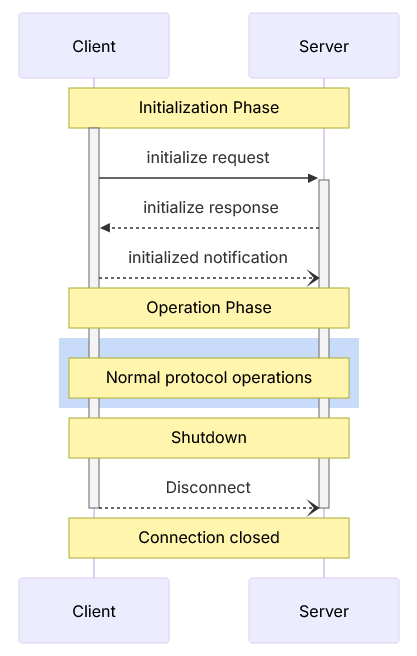
Integration actifsource
The MCP server runs inside the headless Actifsource backend, next to the workspace it operates on. The VS Code extension accesses the same backend via JSON-RPC, the LLM via Streamable HTTP. Both therefore work on the same session state.

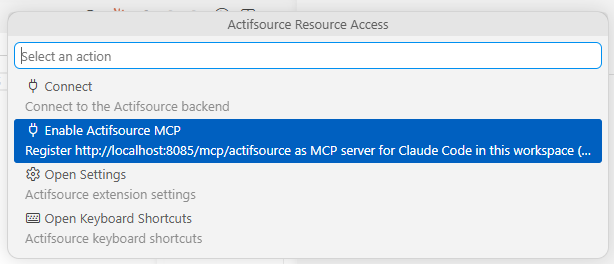
Enable Actifsource MCP
The status bar quick pick of the extension offers the action Enable Actifsource MCP. It registers the backend as MCP server for Claude Code in the current workspace. The URL is derived from the configured resource access host and port: http://<host>:<port>/mcp/actifsource.
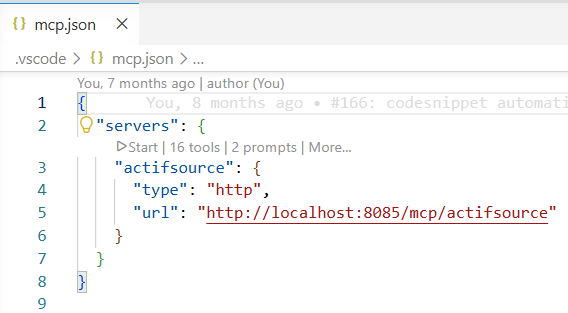
Alternatively, the server can be registered directly in the MCP configuration of the client, for example in .vscode/mcp.json. The action is then not needed.
Actifsource MCP API
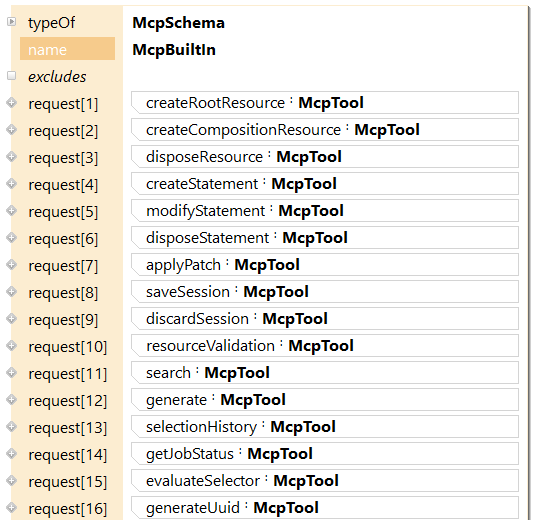
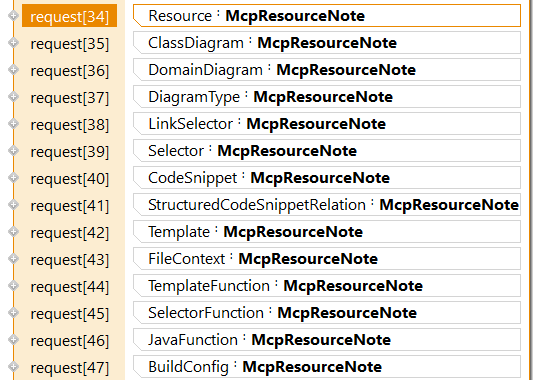
The API is modelled in Actifsource itself: the resource McpBuiltIn (type McpSchema) declares all tools, resources, resource notes and prompts the server provides. All four kinds can be extended with customer-specific definitions.

Tools
Tools let the LLM read and modify the Actifsource model: create and dispose resources and statements, apply patches, search, validate, generate, and save or discard the session.
Resources
An Actifsource resource is exposed as MCP resource with the URI scheme asr. The content is returned as Markdown text.

The LLM chooses how much information it needs via the content query parameter:
asr://<resource_guid>?content=<kind>| Kind | Content |
|---|---|
info |
Header (name, type, project, package) and path to the root resource |
navigate |
info plus outgoing and incoming statements |
edit |
navigate plus the properties table (allowed predicates, range, cardinalities) |
full (default) |
edit plus description and the type-specific content (template body, selector, shapes …) |
The kinds are cumulative. The smaller the kind, the less context the response consumes.
ResourceNote
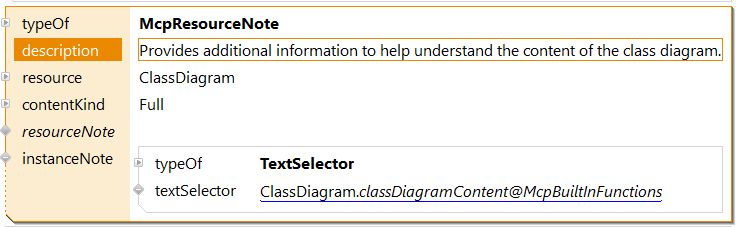
A McpResourceNote attaches additional context to a model class and its instances. This spares the LLM exploratory reads and speeds up processing.
A resourceNote describes the class in general. An instanceNote is a selector that is evaluated per instance and therefore delivers instance-specific information. For a ClassDiagram, for example, the positions of the visible resources and their relations are included.
Prompts
Prompts are a core element. Think of the LLM as a new employee who knows all the technical concepts but nothing about Actifsource. The prompts are the training for this employee.

The prepared prompts allow users to formulate simple requests such as:
- For each Actifsource resource of type
State, add the prefixStartto the name. - Display the resource tree as JSON.
What the init prompt does
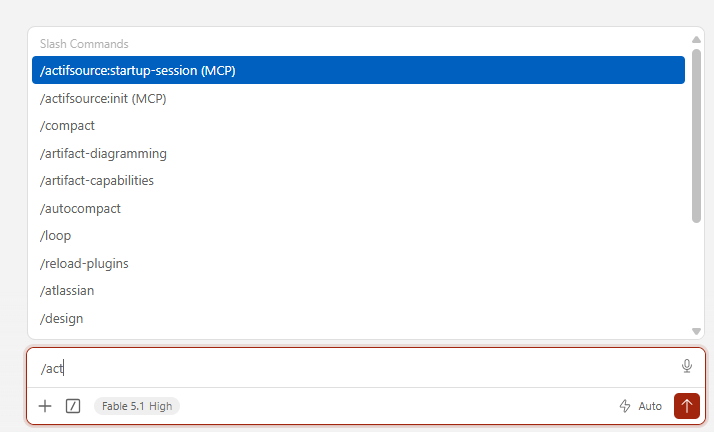
/actifsource:init stores the Actifsource startup instructions (role, core concepts, workflow, output format) in the memory of Claude Code and links them in MEMORY.md. Every subsequent session picks them up automatically. The type-specific prompts (for example class-diagram-content) are not preloaded but fetched lazily from the MCP server when a matching resource is touched. /actifsource:startup-session loads the same instructions into the current session only.
