Settings
The settings of the extension, in the user settings or per workspace in .vscode/settings.json.
Everything about model, generator and validation stays in the Eclipse preferences.
Connection
| Setting | Default | Meaning |
|---|---|---|
actifsource.resourceAccess.host |
localhost |
Host of the Actifsource server |
actifsource.resourceAccess.port |
8088 |
Port of the Actifsource server |
actifsource.resourceAccess.autoConnect |
true |
Connect automatically |
actifsource.resourceAccess.protocolVersionCheck |
true |
Check the API version when connecting |
Editors
| Setting | Default | Meaning |
|---|---|---|
actifsource.textEditor.proposal.maxSize |
100 |
Number of proposals the content assist shows |
actifsource.textEditor.saveTimeout |
30000 |
Milliseconds the diagram editor is given to save |
actifsource.lazyLoading.pageSize |
100 |
Entries loaded per page; 0 switches the paging off |
Generated code
| Setting | Default | Meaning |
|---|---|---|
actifsource.textEditor.highlight.backgroundColor.light |
#0000002a |
Background of generated code, light theme |
actifsource.textEditor.highlight.backgroundColor.dark |
#FAFAFA19 |
Background of generated code, dark theme |
actifsource.textEditor.highlight.minUpdateDelay |
50 |
Shortest interval of the highlighting in ms |
Log and error reports
| Setting | Default | Meaning |
|---|---|---|
actifsource.logging.includeFilter |
empty | What is written to the Actifsource output channel |
actifsource.logging.maxMessageSize |
300 |
Maximum length of a log message |
actifsource.user.mail |
empty | Address sent along with an error report |
Keyboard Shortcuts
The shortcuts come from two places:
- In the
Actifsourceview, VS Code dispatches them. - In the editors and views of the Extension, the Extension matches them itself.
These are the defaults:
| Shortcut | Command | Where |
|---|---|---|
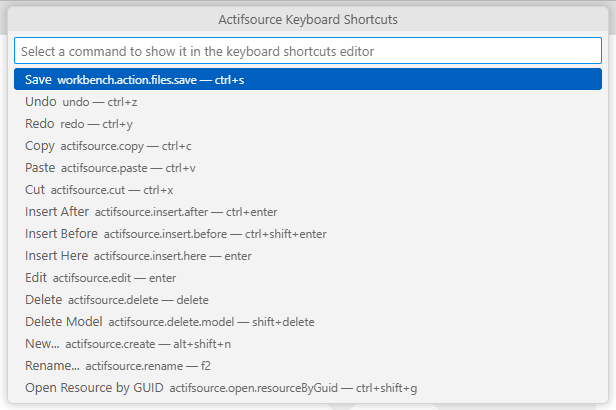
| Ctrl+S | Save | Editors |
| Ctrl+Z / Ctrl+Y | Undo / Redo | Editors |
| Ctrl+C / Ctrl+X / Ctrl+V | Copy / Cut / Paste | Actifsource Explorer, Editors |
| Alt+Shift+N | New… | Actifsource Explorer, Editors |
| F2 | Rename… | Actifsource Explorer, Editors |
| Delete | Delete | Actifsource Explorer, Editors |
| Shift+Delete | Delete Model | Editors |
| Enter | Insert Here, Edit | Resource Editor |
| Alt+Enter | Insert Here | Resource Editor |
| Ctrl+Enter | Insert After | Resource Editor |
| Ctrl+Shift+Enter | Insert Before | Resource Editor |
| Alt+C | Center selection | Diagram Editor |
| Ctrl+Shift+G | Open Resource by GUID | Everywhere |
They are changed like every other shortcut of VS Code:
Preferences: Open Keyboard Shortcutsopens the editor for them.- The
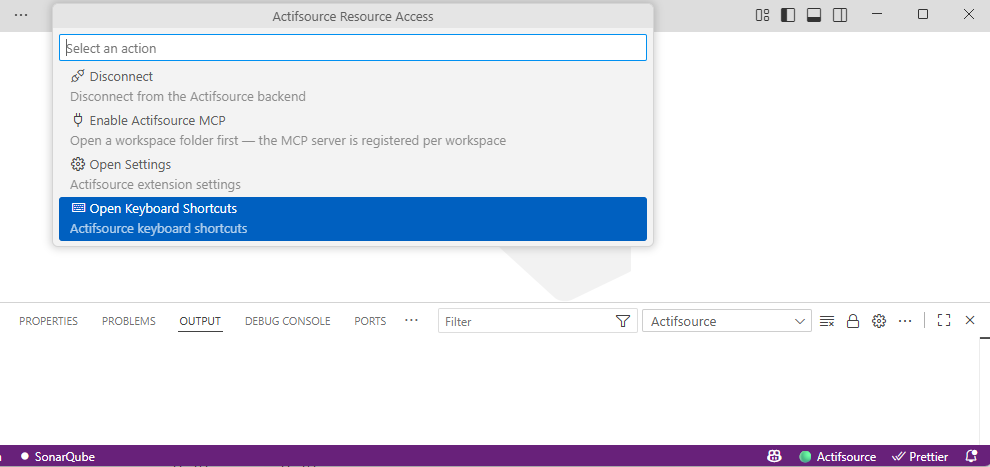
Actifsourcestatus bar item offersOpen Keyboard Shortcuts. It lists the commands of the editors with their current key and opens the editor on the chosen one.
Inside the editors the Extension reads the shortcuts itself. That brings four limitations:
- Only the keybindings of the default profile are read.
- A binding with a
whenclause is ignored. - A chord of two keystrokes, such as Ctrl+K Ctrl+S, is skipped.
- On a remote connection the file of the machine that runs the Extension counts.